Symbol Reference
Ampersand (&)
The ampersand is a ligature of the Latin word et, meaning “and”.
Short answer
The ampersand is a ligature of the Latin word et, meaning “and”. The shape is what remains of an e and a t written together in Roman cursive.

Where you'll actually meet it
The ampersand turns up most often in company names, where it signals a partnership rather than a list — legal and design practice both treat Smith & Jones as one entity rather than two. In programming it is heavily overloaded: a bitwise operator in C-family languages, a reference marker in C++, and the escape prefix in HTML entities. That last role is why a literal ampersand in HTML has to be escaped, and why an unescaped one in a URL query string silently truncates the parameter that follows it.
Look-alike variants
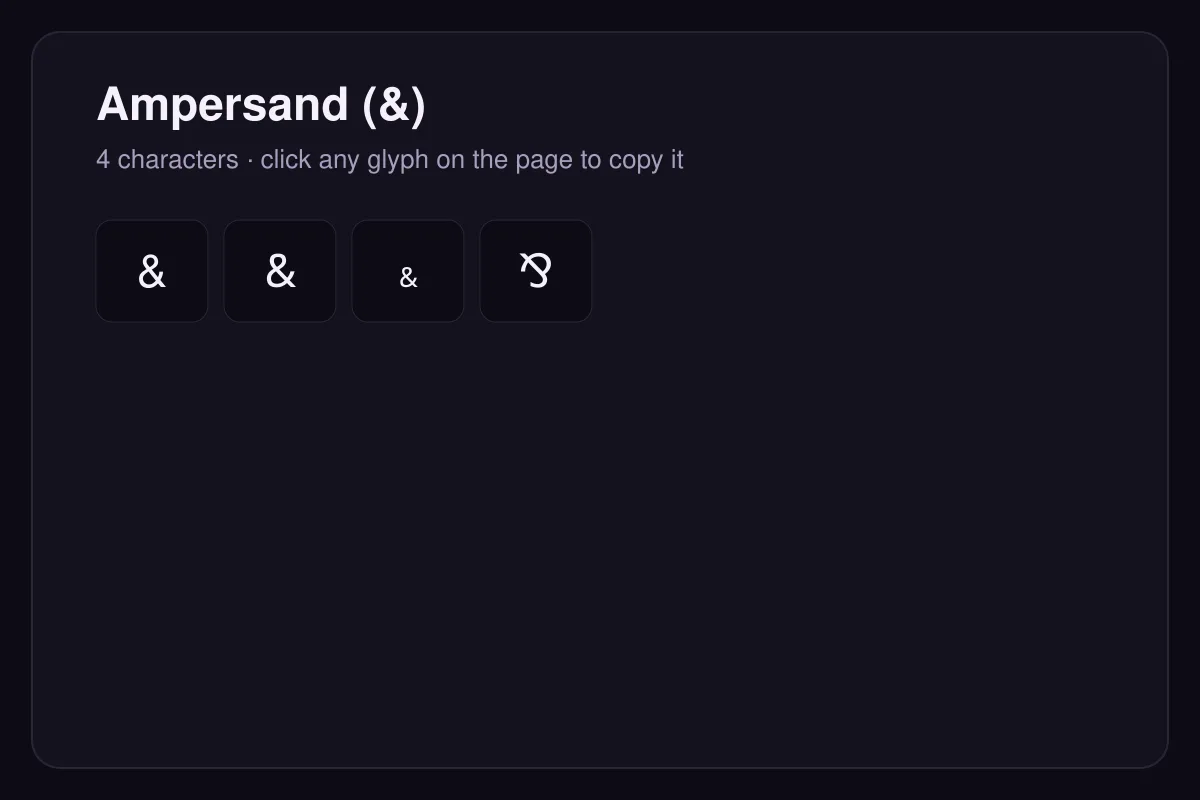
The fullwidth form & (U+FF06) exists so the character can occupy a full CJK cell in East Asian typesetting, and the turned form ⅋ (U+214B) is used in linear logic. They are separate characters with separate meanings, not styling of the same one.
Origin
The shape began as a cursive joining of the letters e and t in Roman handwriting. Over centuries the two letters fused into a single mark, which is why some italic typefaces still show a recognisable 'et' inside the curve.
How to type it
Shift + 7 on most keyboards. The fullwidth form & is used in CJK typesetting, and the turned form ⅋ appears in formal logic.
Questions
Can I use an ampersand in a URL?
Is & acceptable in formal writing?
How to type it
| Code point | U+0026 |
|---|---|
| HTML entity | & |
| Windows | Shift + 7 on a US layout, Shift + 6 on several European layouts |
| macOS | Shift + 7 |
| Linux | Ctrl + Shift + U, then 0026, then Enter or Space |
Read next
Sources
- Unicode Consortium — Code Charts
The official code charts for every block referenced here.